
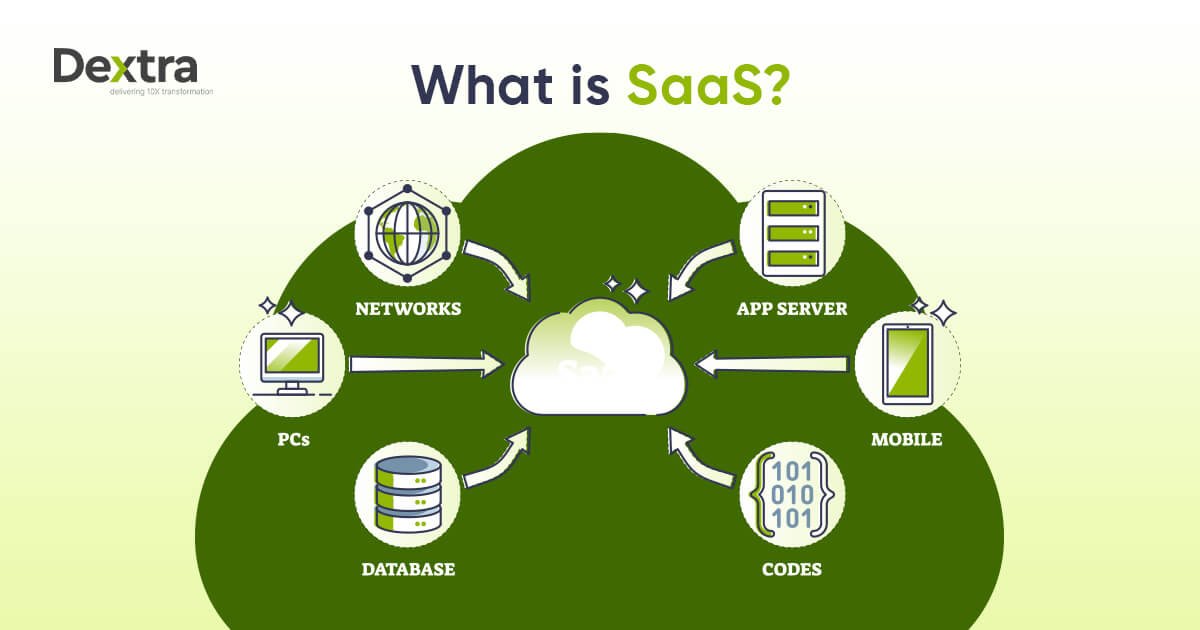
SaaS stands for Software as a Service, a cloud computing model that allows users to access software through the internet instead of installing and maintaining it on local computers or servers. Rather than buying software once and managing updates yourself, SaaS applications are hosted by a provider and delivered through a web browser on a subscription basis.
Today, SaaS powers businesses, startups, freelancers, and even personal productivity tools worldwide. From communication platforms to enterprise systems, the model has transformed how software is built, delivered, and consumed.
This guide explains SaaS in simple terms while exploring how it works, why companies prefer it, and how it fits into the future of technology.
What Is Software as a Service (SaaS)?
Software as a Service is a cloud-based software delivery model where a vendor hosts applications on remote servers and makes them accessible to users online.
Instead of downloading software files or installing programs manually, users simply log in through a browser or app and start working instantly.
Traditional Software vs SaaS
| Traditional Software | SaaS Software |
| Installed locally | Accessed online |
| One-time purchase | Subscription pricing |
| Manual updates | Automatic updates |
| Requires IT maintenance | Provider manages infrastructure |
| Limited device access | Accessible anywhere |
In simple terms: SaaS turns software into an on-demand service, similar to streaming platforms replacing physical DVDs.
Key Characteristics of SaaS
SaaS platforms share several defining features that make them different from traditional applications.
1. Cloud-Based Hosting
The software runs on cloud infrastructure managed by the service provider. Users don’t need servers or complex hardware.
2. Subscription Pricing Model
Most SaaS products operate on monthly or yearly subscriptions, allowing businesses to scale usage based on needs.
3. Automatic Updates and Maintenance
The provider handles:
- Software upgrades
- Security patches
- Performance improvements
- Server maintenance
Users always access the latest version without manual installation.
4. Anywhere Accessibility
Because SaaS runs online, users can work from:
- Laptops
- Smartphones
- Tablets
- Remote offices
An internet connection is usually the only requirement.
5. Multi-Tenant Architecture
A single software instance serves multiple customers while keeping their data separate and secure. This reduces operational costs and improves scalability.
How Does SaaS Work?
To understand SaaS, imagine renting a fully managed office instead of building one yourself.
Here’s how the process typically works:
- A SaaS provider develops and hosts the application on cloud servers.
- Users subscribe to the service.
- Customers log in through a web browser or mobile app.
- Data is stored securely in the cloud.
- Updates and maintenance happen automatically in the background.
This structure removes the technical burden from users and shifts responsibility to the service provider.
Popular Examples of SaaS Applications
Many of the tools used daily by individuals and businesses are SaaS products.
Business and Productivity Tools
- Customer relationship management platforms
- Project management systems
- Accounting software
- Communication tools
Well-Known SaaS Examples
- Salesforce — CRM and customer management
- Microsoft Office 365 — cloud productivity suite
- Google Workspace — online collaboration tools
- Slack — team communication platform
These platforms allow organizations to operate without installing complex enterprise software locally.
SaaS vs Other Cloud Computing Models
SaaS is one part of the broader cloud computing ecosystem. It works alongside two other major models.
1. IaaS (Infrastructure as a Service)
Provides virtual servers, storage, and networking resources. Businesses manage their own applications and operating systems.
Example use: Hosting websites or custom applications.
2. PaaS (Platform as a Service)
Offers development environments where developers build and deploy applications without managing infrastructure.
Example use: App development platforms.
3. SaaS (Software as a Service)
Delivers ready-to-use applications directly to end users.
Example use: Email services or collaboration tools.
Think of it like this:
- IaaS = Rent hardware
- PaaS = Rent development platform
- SaaS = Use finished software
Benefits of SaaS for Businesses
The rapid adoption of SaaS is driven by practical advantages that improve efficiency and reduce costs.
Reduced IT Complexity
Companies no longer need large IT teams to install, update, or maintain software systems.
Lower Upfront Costs
Subscription pricing eliminates expensive licensing fees and hardware investments.
Faster Deployment
SaaS tools can be used immediately after signup — no installation required.
Scalability
Organizations can easily add or remove users based on growth.
Remote Collaboration
Cloud access enables distributed teams to work together in real time.
Continuous Innovation
Providers frequently release new features automatically, keeping businesses competitive.
Advantages for Individual Users
SaaS isn’t only beneficial for enterprises; individuals gain major advantages too.
- No downloads or updates
- Cross-device synchronization
- Automatic backups
- Easy sharing and collaboration
- Minimal technical knowledge required
Students, freelancers, and creators rely heavily on SaaS tools for daily productivity.
SaaS Pricing Models Explained
While subscription billing is standard, SaaS companies use different pricing strategies.
Freemium Model
Basic features are free, while advanced tools require payment.
Tiered Pricing
Different plans based on features or usage levels.
Per-User Pricing
Companies pay based on the number of active users.
Usage-Based Pricing
Charges depend on consumption, such as storage or API usage.
This flexibility allows customers to choose solutions aligned with their budgets.
SaaS Architecture: The Technology Behind the Scenes
Most SaaS platforms rely on multi-tenant architecture, a system where multiple customers share the same software infrastructure while maintaining isolated data environments.
Key Components
- Cloud hosting servers
- Application layer
- Database management systems
- Security frameworks
- APIs for integrations
This architecture allows providers to deliver updates simultaneously to all users while maintaining performance and reliability.
Security in SaaS Platforms
Security is often a top concern when storing data online. Modern SaaS providers invest heavily in protection measures.
Common security practices include:
- Data encryption
- Multi-factor authentication
- Regular security audits
- Automated backups
- Compliance certifications
Because providers specialize in infrastructure management, SaaS platforms frequently achieve higher security standards than many self-hosted systems.
Challenges and Limitations of SaaS
Despite its advantages, SaaS is not perfect.
Internet Dependency
Without an internet connection, access may be limited.
Subscription Costs Over Time
Long-term subscriptions can exceed the cost of traditional software licenses.
Limited Customization
Some SaaS platforms offer less flexibility compared to self-hosted software.
Data Control Concerns
Businesses must trust providers with sensitive information.
Understanding these limitations helps organizations choose suitable solutions.
Why SaaS Became So Popular
Several technological shifts contributed to SaaS growth:
- Faster global internet speeds
- Cloud infrastructure advancements
- Remote work culture
- Mobile device adoption
- Demand for scalable digital tools
Companies increasingly prefer operational expenses (subscriptions) instead of large capital investments in software infrastructure.
SaaS and the Future of Software
The SaaS model continues evolving rapidly with emerging technologies.
AI Integration
Artificial intelligence is enhancing automation, analytics, and personalization inside SaaS platforms.
Vertical SaaS
Industry-specific solutions tailored for healthcare, education, finance, and e-commerce are expanding.
Low-Code and No-Code Tools
Users can build applications without programming knowledge.
Increased Automation
Workflow automation reduces manual tasks across departments.
Experts predict SaaS will remain the dominant method of software delivery for the foreseeable future.
Common SaaS Use Cases Across Industries
SaaS solutions now support nearly every industry.
- Marketing: Email automation and analytics tools
- Finance: Cloud accounting systems
- Education: Online learning platforms
- Healthcare: Patient management software
- Retail: Inventory and e-commerce systems
This flexibility explains why SaaS adoption continues to grow globally.
Final Thoughts: Understanding SaaS in Today’s Digital World
Software as a Service has fundamentally changed how technology is consumed. Instead of installing programs and managing complex systems, users now access powerful applications instantly through the cloud.
By combining accessibility, scalability, automatic updates, and subscription pricing, SaaS removes traditional barriers to software adoption. Businesses gain flexibility, individuals enjoy convenience, and developers deliver innovation faster than ever before.
As cloud computing continues advancing, SaaS is no longer just a technology trend — it has become the standard way software is delivered and experienced in the modern digital economy.